Book Calendly calls without leaving Pipedrive
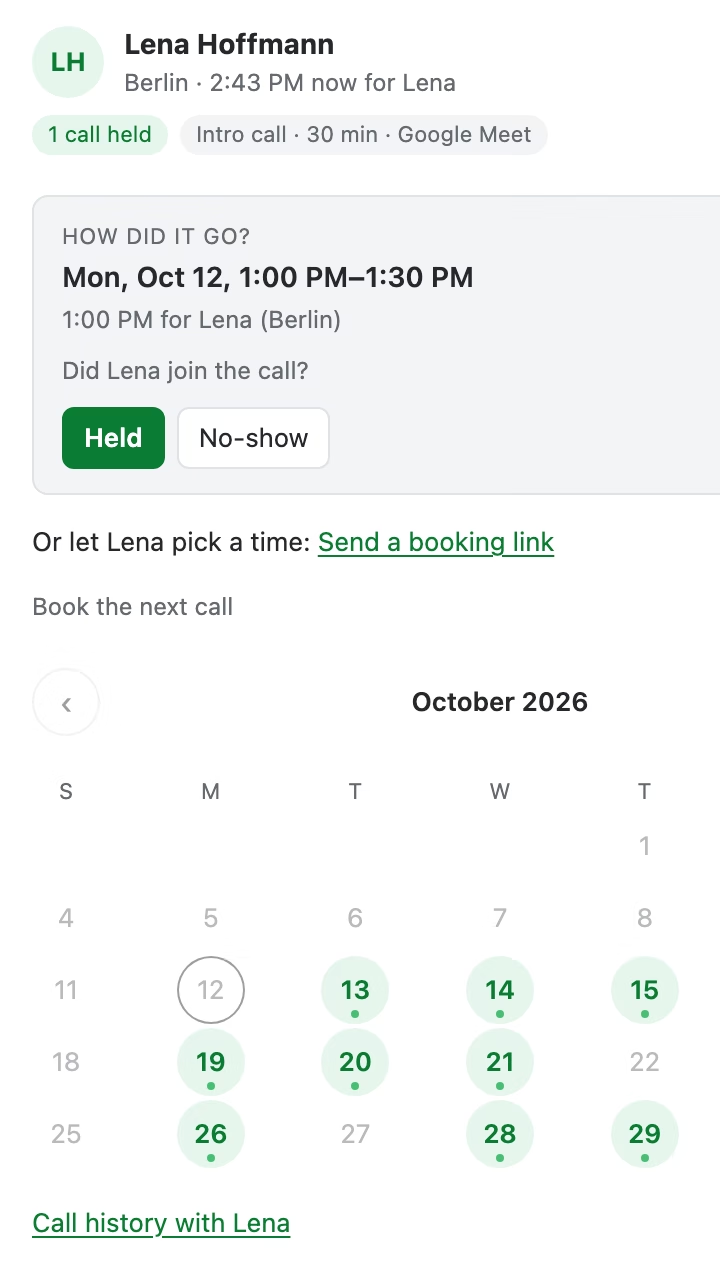
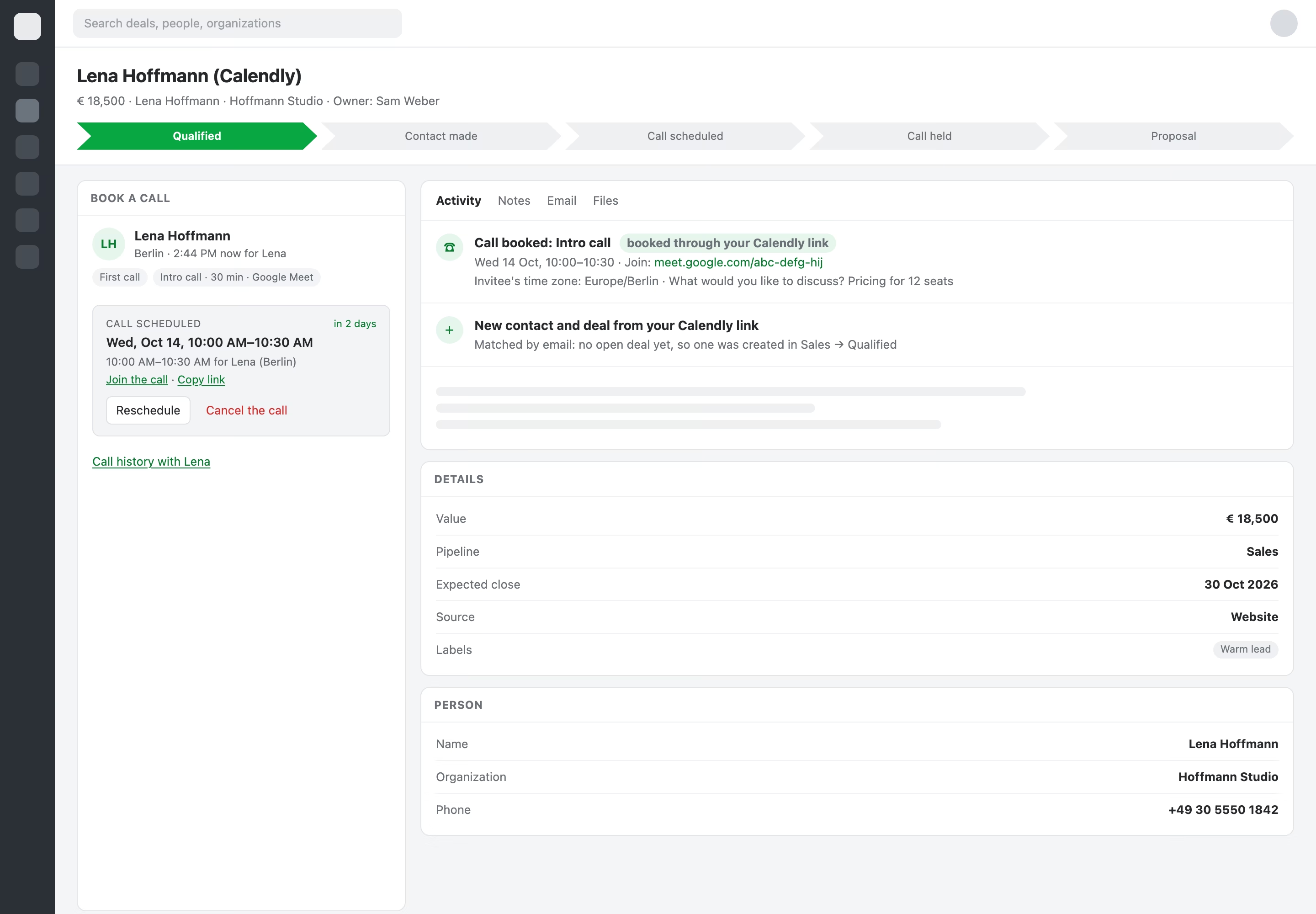
Your free times in the sidebar of every deal, contact and organization. Book, move or cancel in a click, and the deal keeps itself up to date: booked, held, cancelled or no-show.
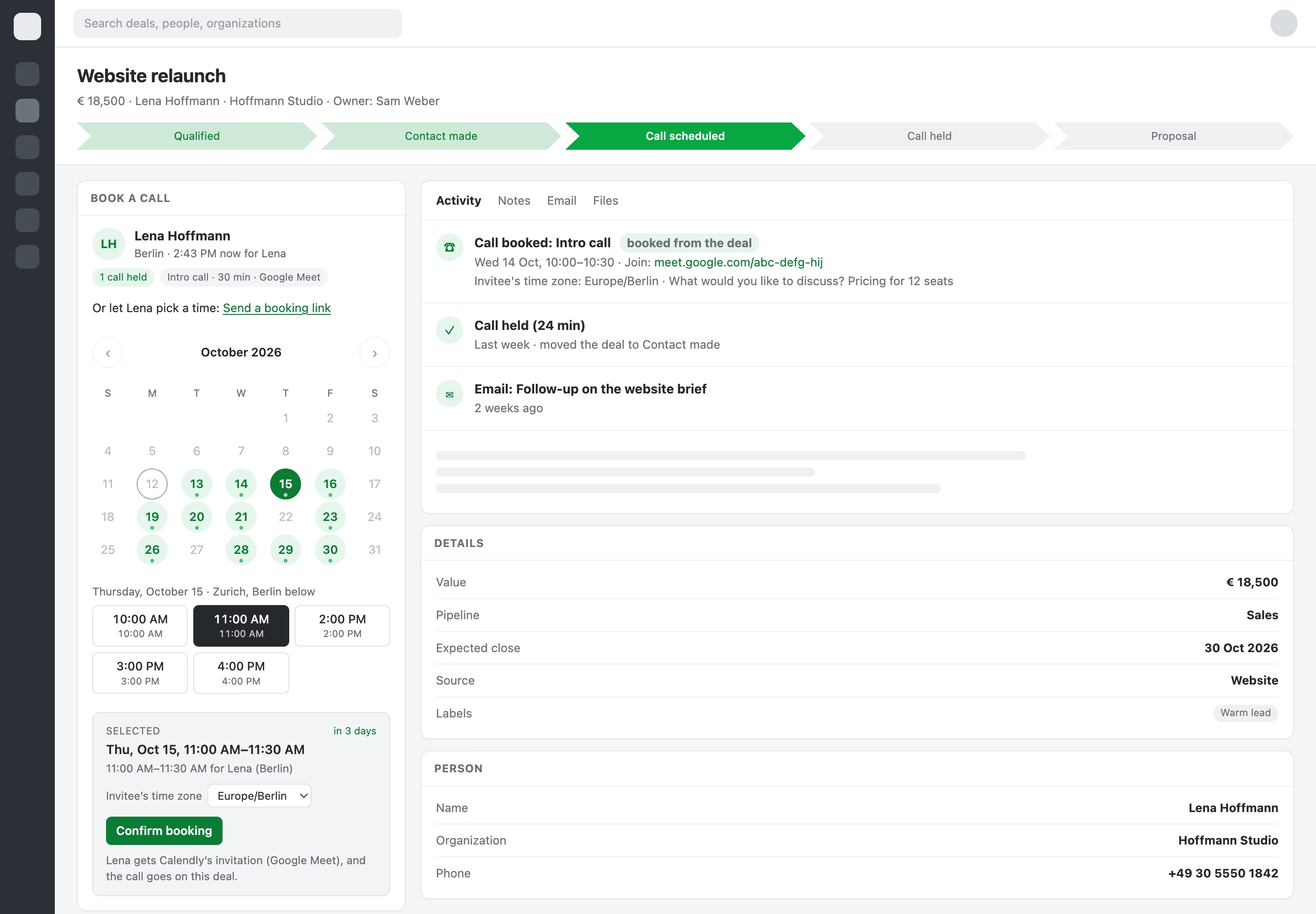
From booked to held, without typing
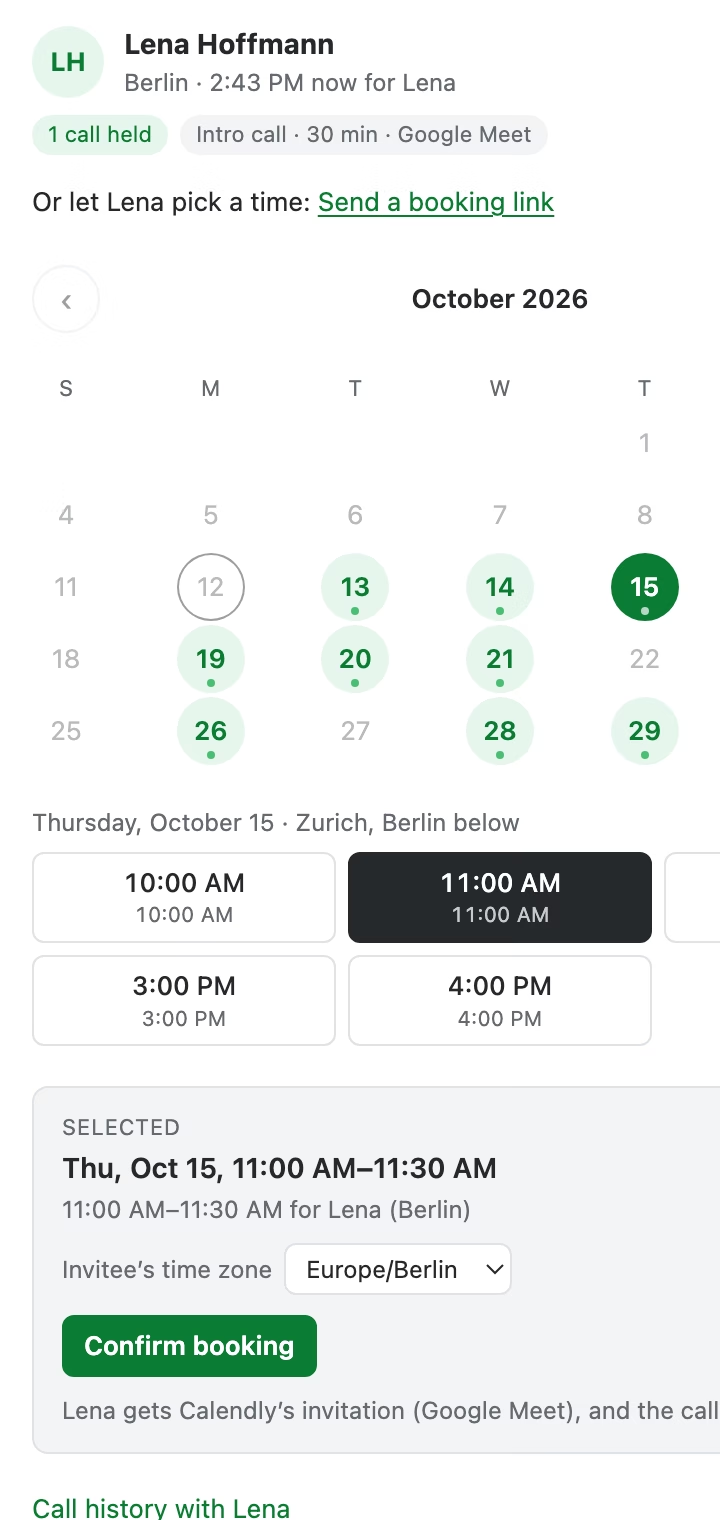
Book from anywhere in Pipedrive
Every booking on the right deal
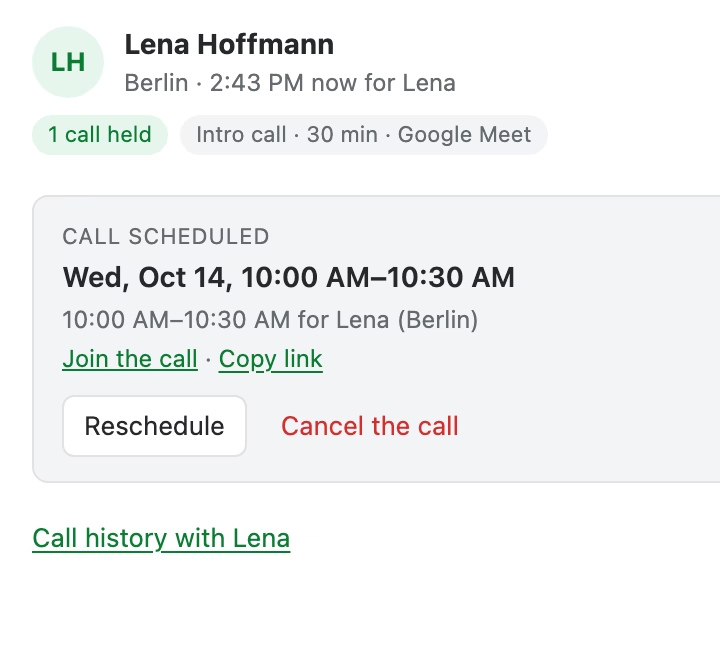
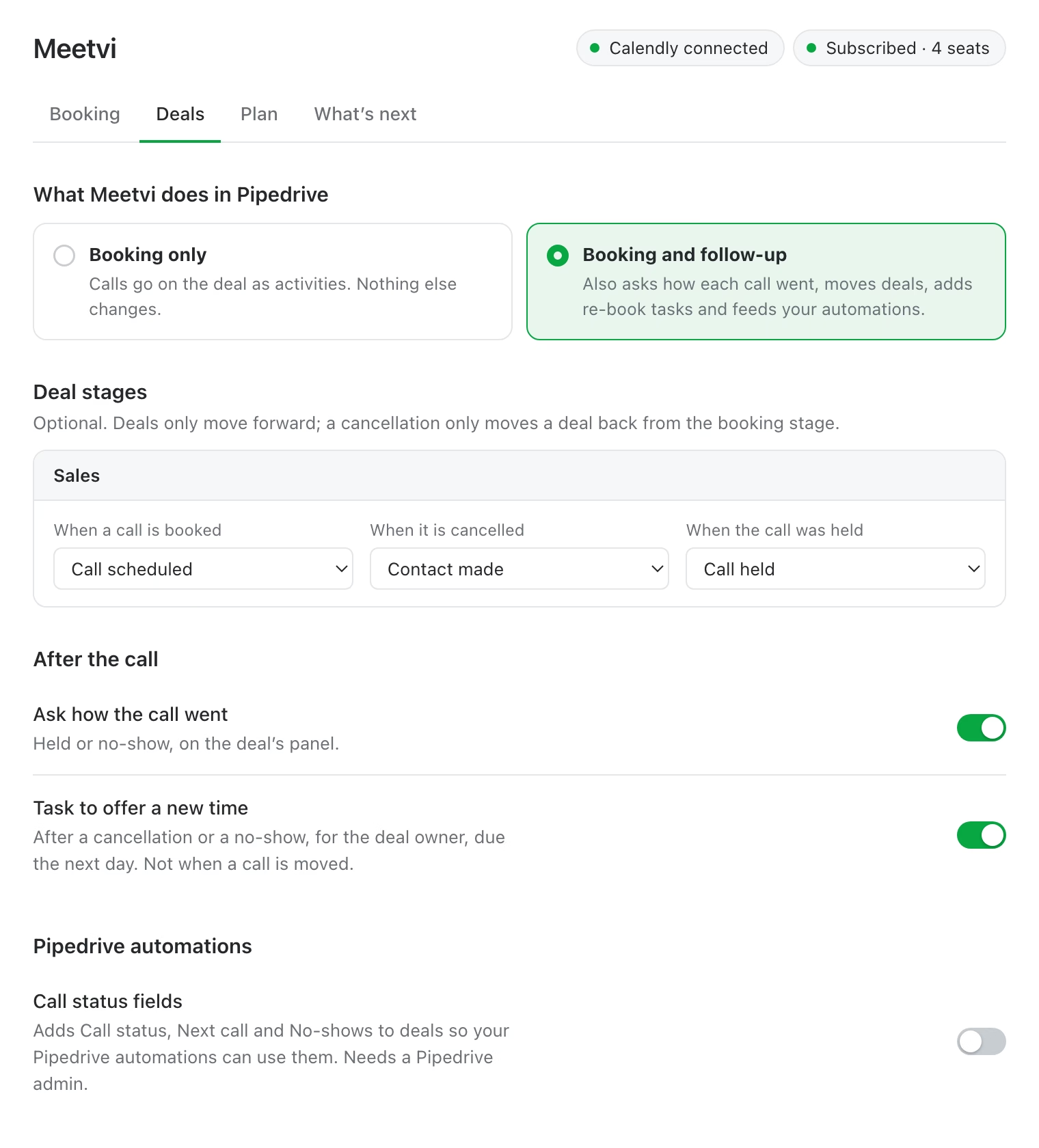
The deal follows the call
Calls that move deals
Book, move, cancel and mark the outcome without leaving Pipedrive. Works with Google Meet, Zoom, Teams or the phone.
Meetvi connects Calendly and Pipedrive, whatever your team meets on.
What's live, and what's next

Book, move and cancel from deals, contacts and organizations, with the call activity and stage moves.

Calendly link bookings land on the right deal; mark every call held or no-show in one click.

Zoom first, then Google Meet and Teams. Vote for it in the app.

What customers vote for in the app's settings gets built first.
FAQs
Common questions about Meetvi.
A paid Calendly plan (Standard or higher): booking through Calendly's API and receiving its updates need one. Each company connects its own Calendly account in one click, no tokens to copy.
Calls booked through your public Calendly link are matched to the contact by email or phone and land on their open deal. You choose whether new contacts get a deal, and in which pipeline and stage.
Meetvi asks Pipedrive for deals, activities, contacts and deal fields only, never emails, notes or files. Data is stored in the EU, access tokens are encrypted, and uninstalling removes access at once and deletes your data within 30 days.